Google Lens traffic in Search Console: where the multimodal filter is and how to read it
In Search Console's performance report, open the Search type filter and choose Web: multimodal to see traffic from people who searched with a picture through Google Lens, Circle to Search, an image upload or Chrome's "Search this image", broken down by page, country, device and date but never by the words searched.
Search Console now gives searches that start with a picture their own line. Google announced web multimodal Search performance reporting. The data covers searches with Lens, Circle to Search on Android, image uploads to Google Search, and the Chrome right-click "Search this image" feature.
When you put Google's own pages side by side, the whole thing comes down to four points:
- Four ways of searching with an image feed one filter.
- That filter sits in two reports.
- It shows you no search words at all.
- Of the ways to get data out of Search Console, only the Export button is confirmed to carry the split.
The working is short. The four ways and the two reports, the Search results performance report and the Generative AI features report, come from Google's announcement. The search words are missing because specific text query data isn't available for this traffic. The export point is our reading of two Google pages. The announcement says to use "Export" to download the data. Meanwhile the Search Analytics API reference lists six search type values (discover, googleNews, news, image, video and web) and no multimodal one.
So the job is simple: find the filter, read it by page rather than by keyword, and save a copy.
What counts as a multimodal search, and what doesn't
Which line does this search land on?
Lands on
Web: text-based
What you can see: queries, pages, countries, devices and dates.
Lands on
Image
What you can see: queries, pages, countries, devices and dates.
Lands on
Web: multimodal
What you can see: Pages, countries, devices and dates. No search words.
Someone in a shop points their phone camera at a pair of leather boots with Google Lens and taps through to your product page. That visit is counted under Web: multimodal, on your product page's row, with no search words beside it.
The same text-based and multimodal split also appears in the Generative AI report, which covers AI Overviews and AI Mode and shows impressions only.
The Search type filter offers five choices: "Web: text-based", "Web: multimodal", Image, Video and News. Google's help page defines text-based as "search traffic originating from text queries entered into the standard Google search bar". Multimodal is "search traffic when users search using images (such as with a smartphone camera)".
Don't mix multimodal up with Image. The Image type is search traffic from results shown in the Google Images tab. Someone who types "timber outdoor setting" and opens the Images tab is on the Image line. Someone who photographs a timber outdoor setting and searches with that photo is on the multimodal line.
Where to find the multimodal filter in Search Console
Search results
- Performance: Search results
- Search type
- Web
- Text-based
- Multimodal
- Image
- Video
- News
- Web
- Export
Generative AI
- Generative AI performance report (AI Overviews and AI Mode)
-
- Web: text-based
- Web: multimodal
- Impressions only
No data shown means no traffic of this kind yet, not a fault.
- Open Search Console and go to the Performance report for Search results.
- Click the Search type filter at the top of the performance report.
- Under Web, choose Multimodal, then click Apply.
- For comparison, switch to Web: text-based, then to Image.
- Open the Generative AI performance report, which covers AI Overviews and AI Mode, and pick the same text-based or multimodal filter there.
A blank screen doesn't mean anything is broken. The feature is rolling out globally, and you will see the metrics only "if your site is receiving traffic from these queries". The Generative AI report has its own threshold: you may not see the report if your site has not had enough impressions in generative AI features. If nothing shows, people haven't reached your site this way yet. Your site isn't faulty.
How to read Google Lens traffic when there are no queries
| Dimension | Performance report, Web: multimodal | Generative AI report, multimodal |
|---|---|---|
| Queries | Not available | Not listed among the report's views |
| Pages | Yes | Yes |
| Countries | Yes | Yes |
| Devices | Yes | Yes |
| Dates | Yes | Yes |
| Metrics | Clicks and impressions | Impressions only |
| Row limit | 1,000 rows | 1,000 rows |
| Which image was used | Not shown | Not shown |
When you select multimodal, the queries dimension isn't available, and Google lists no other dimension as unavailable, so pages, countries, devices and dates still work. At Search Engine Hub, we'd read those tabs in this order:
- Pages first. This tab shows which of your pages people reached after searching with a picture. It says nothing about what they pointed the camera at. A page with multimodal clicks tells you the click came from a search that used an image, not which image was used.
- Devices next. This shows whether these visits come from phones or computers, which tells you where to test the page.
- Countries. This shows whether these visitors are local to you or from somewhere else.
- Dates. Use this to look for a pattern, such as a product page that picks up after a new range goes on display.
Then compare. Run the same date range on Web: text-based and on Image, and see which pages appear on all three lines and which appear only on one. Search Engine Journal also suggested comparing the new split with a full day's Web totals so you get a feel for its size.
"specific text query data isn't available for this traffic"
The Generative AI report is thinner again. It shows impressions only, by pages, countries, dates and devices, with the usual 1,000-row limit. It tells you your pages appeared in AI answers to picture-led searches. It doesn't show whether anyone clicked.
Did your Web numbers drop around September?
- Generative AI report rolled out to all sitesSource: Search Console Help
- Drop start one practitioner later reported; Google says the split did not cause itSource: Search Engine Roundtable
- Google announces multimodal reporting, rolling out globallySource: Google Search Central Blog
- September 2026 spam update starts (ran 13 days, 16 hours)Source: Google Search Status Dashboard
- November 2026 core update startsSource: Google Search Status Dashboard
Before-launch history: not confirmed either way.
A fall in your Web: text-based numbers around the launch is not the new filter taking traffic away. Asked about a drop from 10 September, Google's John Mueller checked with the team and answered that the data wasn't previously in the counts, the report has new data. So a drop needs the usual checks. Whether the filter reaches back before launch is still open: Google's post doesn't say whether history before launch is included. Don't assume it does.
So check the dates before you treat a fall as a problem. Google's Search Status Dashboard shows the September 2026 spam update starting 24 Sep 2026, the day the filter launched, which ran 13 days and 16 hours. It also lists the November 2026 core update, started 10 Nov 2026. For telling a real drop from a reporting change, our September spam update check walks through the comparison. How to tell whether your SEO is actually working covers the longer view.
Keeping a record: use Export, not the API
Use the Export button on the performance report while multimodal is selected, and keep the file. That's the route Google names: use "Export" to download the data.
We wouldn't build a dashboard around this split yet. The API reference lists no multimodal type and describes "web" as the combined "All" tab. Nothing confirms that an API or Looker Studio pull will separate picture searches from typed ones. A dated export each month is a small chore, and it means you'll have your own history if Google never fills the gap.
If your product, menu or shopfront pages show up, check their photos
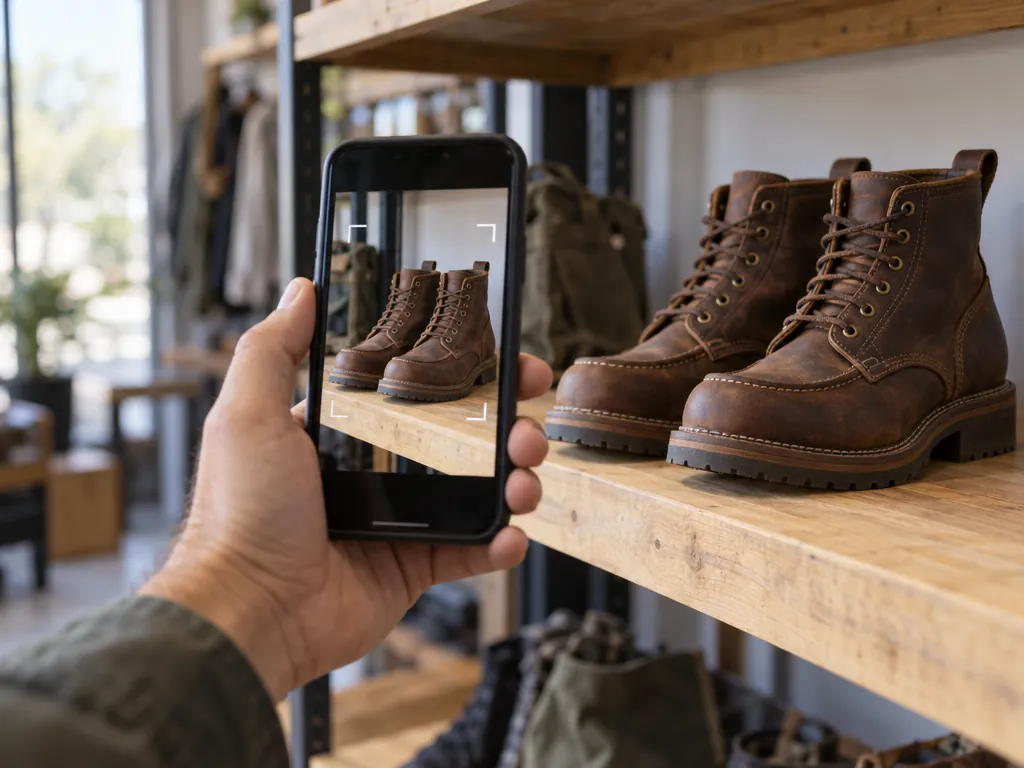
When a product, menu, shopfront or portfolio page appears in the multimodal Pages list, check the photos on it against Google's own guidance. Doing this is tidying, and it is no promise of more Lens visits.
Photo check for any page in the multimodal Pages list
- Use real image tags. Google says to embed images with HTML
<img>elements because CSS background images aren't indexed. - Use a supported format: BMP, GIF, JPEG, PNG, WebP, SVG and AVIF.
- Give each photo a descriptive short filename, the kind that says what's in the picture. A camera default like IMG00023.JPG doesn't.
- Write alt text that describes the photo. Keyword-stuffed alt text may cause your site to be seen as spam.
- Place images near relevant text, so the photo of the boots sits beside the words about the boots.
- Keep the page quick, because images are often the largest part of page size.
- If you name a preferred image with
og:imageor schema.orgprimaryImageOfPage, don't pick your logo or a text-heavy graphic.
For the rest of the page around those photos, our 20-minute website health check covers the basics you can do yourself.
Got an export you can't make sense of? Send it over
If the multimodal line shows pages you didn't expect, or the numbers around September don't add up, send Search Engine Hub three things through our contact page:
- the exported file
- the date range you looked at
- the one question you most want answered.
That's enough for a straight answer on what the filter is telling you about your site.
Sources
- Web multimodal Search performance reporting in Search Console, Google Search Central Blog
- Performance report (Search results), Search Console Help
- Generative AI performance report, Search Console Help
- Dimensions and data groupings, Search Console Help
- Google Search Console multimodal search type filter, Search Engine Roundtable
- Google Search Console adds multimodal filter, Search Engine Journal
- Search Analytics: query, Google Search Console API reference
- Google image SEO best practices, Google Search Central
- Google Search Status Dashboard, Google